
Blumgi Rocket Unblocked — Play Free Online
More Platformers games



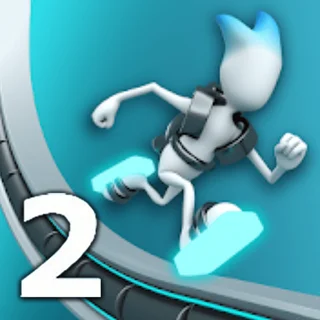
Blumgi Rocket unblocked: play Blumgi Rocket online free right here in your browser — no download, no sign-up, works on a school Chromebook.
Blumgi Rocket is a lightning-fast arcade platformer where you pilot a rocket-propelled stunt vehicle across hilly, obstacle-laden obstacle courses. Created by indie studio Blumgi, the game strips away complex gear shifts and steering wheels in favor of an intuitive, momentum-heavy rocket boost mechanic. You speed over ramps, soar across gaping chasms, and blast through mid-air loops to reach the finish portal as quickly as possible.
For fans of speedrunning platformers like OvO, Blumgi Rocket hits a very familiar sweet spot. It delivers tight, responsive physics where every millisecond counts, paired with instant restarts that encourage you to optimize your trajectory. Instead of wall-jumping or sliding under barriers, your focus shifts to managing aerial rotation and timing your rocket thrusters to shave seconds off your course time.
How to play
The control scheme is simple to pick up but allows for deep technical finesse. On keyboard, press and hold Space, W, or the Up Arrow to accelerate across the terrain. When your car catches air off a ramp or ledge, holding the same key ignites a powerful rocket thruster on the back of your chassis, propelling you in whatever direction your nose is pointing.
Steering relies heavily on airborne balance. As your vehicle launches into the sky, you can use the left and right directional inputs to rotate your frame. Aligning your wheels with the downward slope of a hill maintains your forward speed, while landing flat on rough geometry kills your momentum. Each track is packed with moving hazards, bouncy pads, and steep inclines designed to test your reflex timing.
Tips for faster runs
- Tap your boosters in bursts: Firing the rocket continuously in mid-air can easily flip your vehicle or launch you into overhead ceilings. Use short, controlled bursts to adjust your flight path and maintain control.
- Land along the downslopes: Just like in classic momentum racers, touching down smoothly on a declining slope converts your downward speed into massive forward velocity.
- Use two-player mode for practice: The built-in two-player split-screen mode lets you race against a friend on the same keyboard, which is a great way to discover faster launch angles and shortcut lines.
- Reset instantly after a crash: If your car flips upside down or loses all forward momentum, hitting the quick restart button immediately resets the course without breaking your rhythm.
Similar games on OvO Game
If you enjoy the fast reflexes and quick-fire stage structure of Blumgi Rocket, check out the other momentum-driven titles in the OvO Game catalogue. Stickman Hook offers a similar rhythm of swing-based acceleration and mid-air timing, while Dreadhead Parkour challenges you with precision flips and slides across urban rooftops. For pure gravity-switching obstacle courses, G-Switch delivers frantic multi-lane action, and Level Devil provides puzzle-platforming filled with unpredictable trap layouts.
Blumgi Rocket runs directly in your web browser with no downloads or plugins required. Whether you are aiming for three-star stage completions during a quick five-minute break or battling for best split times in local two-player, its snappy controls and bright physics make every run satisfying.
Questions about Blumgi Rocket
Is Blumgi Rocket unblocked at school?
Blumgi Rocket runs in an ordinary browser tab from ovogame.me, with nothing to download or install, so it plays on most school Chromebooks and work computers. If a network filter blocks the site, only that network's administrator can change it.
What are the controls for Blumgi Rocket?
Press and hold Space, W, or the Up Arrow to accelerate on the ground. When your car is airborne, press and hold the same button to fire your rocket boosters for extra speed and lift.
Can two people play Blumgi Rocket on one keyboard?
Yes. Blumgi Rocket includes a local two-player mode where Player 1 uses W to drive and boost while Player 2 uses the Up Arrow in a split-screen race to the finish line.
How do you unlock new vehicles in Blumgi Rocket?
Completing levels and beating course challenges rewards you with new character skins and vehicle models that you can select from the main menu.
Does Blumgi Rocket save your progress automatically?
Yes. Your unlocked levels, best times, and custom vehicle skins are stored locally in your browser storage so you can pick up where you left off.
More games
 Stickman Hook
 Dino Run
 Obby Tag
 Rainbow Obby
 Crossy Road
 House Of Hazards
 Skiing Fred
 Soccer Skills World Cup
 Rooftop Snipers 2
 Skibidi Shooter
 Paint Strike
 Stickman War
 Highway Traffic
 Eggy Car
 Flying Car Simulator
 Drive Mad
 Monkey Mart
 World's Hardest Game
 Bloxorz
 Elastic Man
 Ludo Hero
 Merge Cakes
 Block the Pig
 Ovo Classic
 Stickman Climb 2
 Stickman Archers Waves 9033258f
 Stickman Climb 3d